
Salon bookings inside your WhatsApp workspace
Book while you reply on WhatsApp
Keep the conversation, customer context and booking together. Open Book Now beside the chat with the available customer details already filled in, rather than copying a phone number between apps.
 Conversations
From conversation to appointment
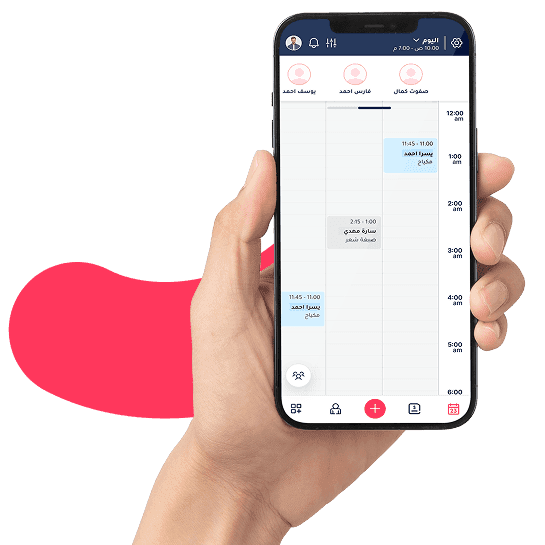
Start the booking from the WhatsApp workspace. Existing customer details carry into the booking; for a new contact, complete the required identity fields, choose the service and time, then review the appointment.
- The contact number carries into the booking
- Existing details are available; complete only what is missing
- Choose the service and time, then confirm within the same workspace
Could I reschedule my Thursday appointment?
Answer with customer context
When a customer asks about an appointment or a change, reception can see recent appointments, visit history, cancellations and recorded revenue beside the conversation. Staff use the information available to their role rather than searching from scratch.
- Recent appointment details beside the conversation
- Visit and cancellation history, with recorded spend
- Better context for rescheduling, cancellations and follow-up
- Customer message receivedQuestion about hair services
- Noura viewed the messageReception team
- Conversation assigned to ReemHair service specialist
- Reem sent a replyReply attributed to the team member
Give each conversation an owner
Assign the conversation to the right employee and review message-view and reply attribution. A service-specific question can go to the relevant team member while supervisors follow ownership and response activity.
- Assign the conversation to the right service specialist
- See who viewed the message and who sent the reply
- Review conversations that need follow-up
Your team's workspaceGive your team access based on permissions
Choose the connection for your workflow
Toptalla supports the official Meta connection and QR linking. Review number and messaging charges, templates and sending requirements for your chosen setup. QR linking is not the official Meta API. The customer-facing agent is separate from a staff member replying in this workspace.
- Meta API and QR linking are separate options
- Team access follows your setup and permissions
- Number, message and agent charges are itemised separately
Questions before getting started
See Toptalla with your own workflow
Try for 14 days with free onboarding and data migration. Review your services, team and available data with us before the move.